
Guides · Checklist & example
Organize your subscriptions: costs and due dates
Music here, cloud storage there and an annual membership in between: each amount may seem small, but the complete list can be harder to follow. A maintained subscription plan shows total costs and upcoming payments across different billing intervals.
Record each service, amount per payment, billing interval and next due date. Check the contract term and cancellation deadline separately. Payment dates and cancellation deadlines are different details.
1. Collect all your subscriptions
Look for ongoing services in confirmation emails, invoices and account transactions you check yourself. Review subscriptions in your Apple Account and directly with providers too. A service may be billed through different channels.
- Music, film, television and podcasts
- Cloud storage, software and productivity services
- News, magazines, learning platforms and digital memberships
- Fitness, clubs and other regular memberships
- Trials that continue as paid services under their terms
Record each contract once. Neither the app nor the calculator reads provider accounts or bank accounts; you enter the confirmed details yourself.
2. Record these details for each service
Alongside the name, record the amount per payment, currency, interval and next confirmed payment date. Keep the contract start, term, cancellation deadline and billing provider separately where relevant.
Yearly billing does not automatically mean you can cancel at any time. Cancelling may also leave an already-paid period running. Check the details with the provider.
3. Compare monthly and annual costs
This plan uses illustrative prices. A monthly average makes billing intervals comparable; the actual payment calendar remains separate.
| Service | Amount per payment | Interval | Annual cost |
|---|---|---|---|
| Music | €12 | Monthly | €144 |
| Streaming | €10 | Monthly | €120 |
| Cloud storage | €72 | Yearly | €72 |
| Total | €28 monthly average | €336 |
Without streaming, the calculation becomes €216 a year or an €18 monthly average. The difference is €120 over a complete year. Whether and when that becomes an actual saving depends on your contract, cancellation date and payments already made.
Calculate now: Subscription cost calculator4. Check monthly versus annual billing separately
If a service offers both, compare the total price over the period you expect to use it. A lower annual price still requires the full payment upfront and commits you to a paid period.
Before switching, check whether features, terms or renewal rules change. The annual-versus-monthly calculator compares known prices; it does not inspect the contract or your available account balance.
Calculate now: Pay monthly or annually?5. Organise the selected subscriptions in Kalvo
Select the services you want to keep in the subscription calculator. Add their next due dates and download the selected list as CSV. Save it on your iPhone and import it in Kalvo through More → Export & Import → Import transactions. Review the preview and confirm the import.
- Check the imported amount, currency, interval and first due date.
- Choose the next payment month in Overview; annually billed services appear in Reserves.
- Enable local reminders before due dates in Settings if useful.
- After a confirmed cancellation, check how long payments continue and update the entry.
- Record each subscription once, even if you tried several calculators.
Kalvo reminds you before payment dates. It does not manage cancellation deadlines or cancel contracts. Free CSV import is subject to the limits of 10 active recurring bills and 2 reserves.
6. Keep the list current with a quick review
Review your list regularly, for example at the start of a month or after a price change. Do you still use the service? Is the amount correct? Has a trial renewed? Keep cancellation confirmations with your contract records.
Use the bill calendar to check which subscription payments fall in a particular month. That keeps the next actual payment total visible alongside the cost comparison.
Calculate now: Bill calendar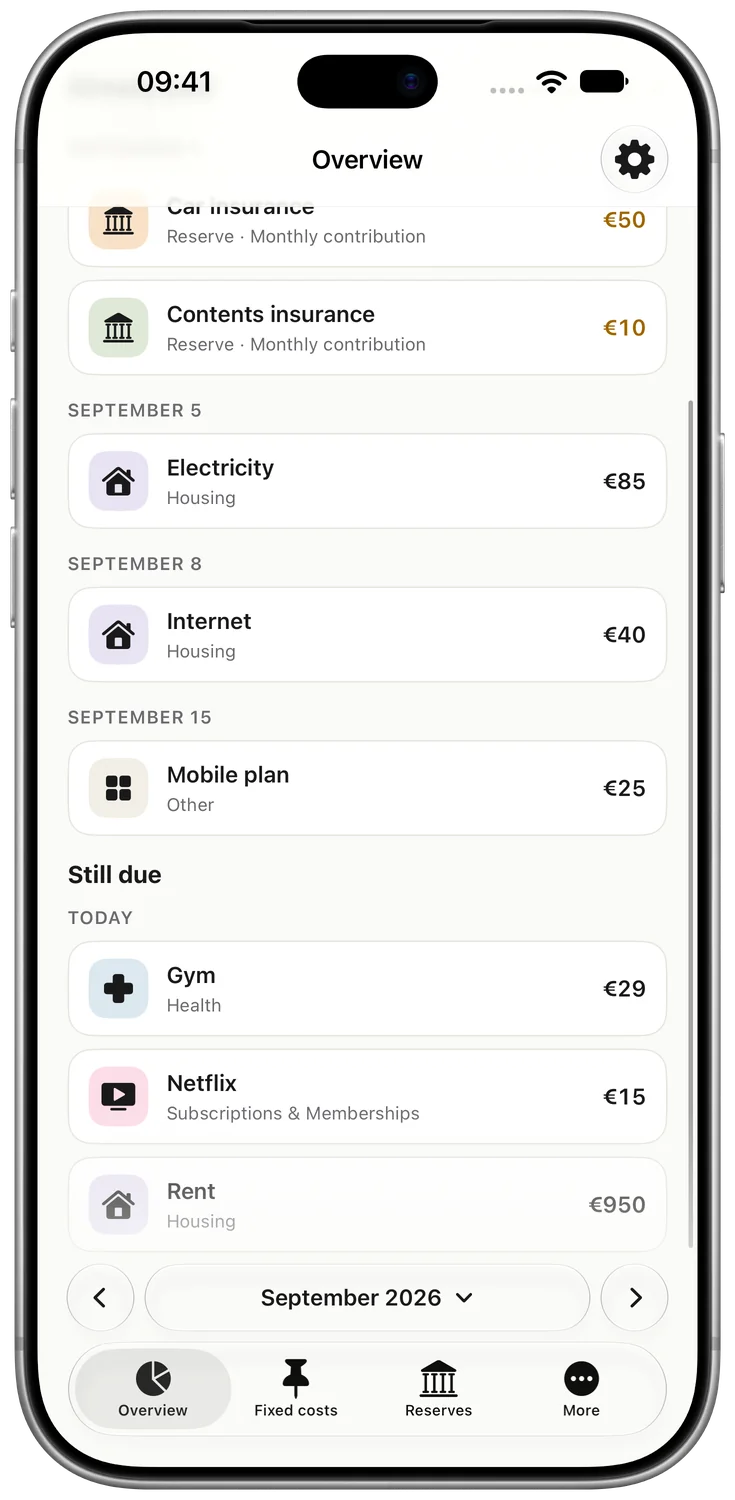
Your plan on iPhone
Keep your plan in Kalvo
Import recurring bills from the tools as a CSV file and keep track of their next due dates on your iPhone.
Get Kalvo freeFor iPhone with iOS 26 or later. 10 active recurring bills and 2 reserves free. Pro is an optional one-time purchase.
Frequently asked questions
How do I find all my subscriptions?
Check confirmation emails, invoices, account transactions you review yourself, subscriptions in your Apple Account and provider accounts. No single source is guaranteed to contain every contract.
Is the monthly average my next payment?
No. A €72 yearly subscription has a €6 monthly average, but the full €72 is paid on its agreed due date.
Does Kalvo remind me about cancellation deadlines?
No. Kalvo provides local reminders before payment due dates. Record cancellation deadlines separately using your contract; the app does not cancel services.